How Do I Install IPTV in Danmark?
In 2026, the streaming landscape in Denmark has shifted dramatically. With lightning-fast fiber networks provided by companies like YouSee, Telenor, and Waoo, more Danes than ever are cutting the cord. If you are asking how do I install IPTV Danmark, you are looking for a way to centralize your entertainment—from international sports to local Danish favorites—all in one high-definition interface.
Setting up your service correctly is essential to avoid common pitfalls like buffering during a big match or poor image quality. Whether you are in Copenhagen, Aarhus, or Odense, this 2026 guide will walk you through the precise steps to get your system running in under 10 minutes.
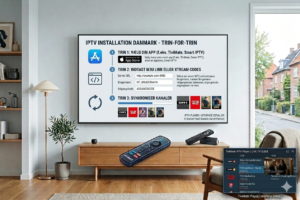
Table of Contents
-
Pre-Installation Checklist for Denmark
-
Step-by-Step: Install IPTV Danmark on Firestick
-
Installing on Smart TVs (Samsung, LG, and Sony)
-
Setting Up on Android TV Boxes & Nvidia Shiel
-
Danish ISP Optimization: Avoiding Throttling
-
Frequently Asked Questions (FAQ)
Pre-Installation Checklist for Denmark
Before you begin, ensure your “home cinema” environment is ready for 2026 standards. Streaming 4K or 8K content requires a robust foundation.
-
Internet Speed: For stable 4K UHD streaming, you need a minimum of 25-30 Mbps. Most Danish fiber plans exceed this, but always run a speed test first.
-
The Credentials: You will need your M3U URL or Xtream Codes (Username, Password, and Server URL) from your provider.
-
A VPN: Highly recommended for Denmark to ensure privacy and bypass any occasional ISP peering issues.
Step-by-Step: Install IPTV Danmark on Firestick
The Amazon Firestick 4K Max (2026 version) remains the most popular device in Denmark due to its portability and ease of use.
-
Enable Developer Mode: Go to Settings > My Fire TV > About. Click on “Fire TV Stick” 7 times until it says “You are now a developer.”
-
Allow Unknown Apps: Go back to Settings > My Fire TV > Developer Options and turn on Install Unknown Apps.
-
Download ‘Downloader’: Search for the “Downloader” app in the Amazon App Store and install it.
-
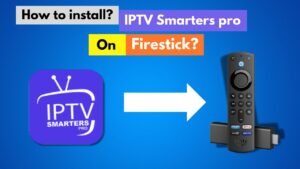
Install the Player: Open Downloader and enter the URL or code for TiviMate or IPTV Smarters Pro.
-
Log In: Open the app, select Xtream Codes API, and enter your credentials. Your Danish channel list will load automatically.
Installing on Smart TVs (Samsung, LG, and Sony)
If you prefer not to use an extra dongle, you can install the service directly on your TV’s operating system. This is a common way to install IPTV Danmark services for a minimalist setup.
-
Samsung & LG: Open the LG Content Store or Samsung App Hub. Search for “IBO Player” or “Nanomid”. These are the most stable native apps in 2026.
-
Sony & Philips: These use Android TV. Simply go to the Google Play Store and download TiviMate.
-
Activation: Once the app is installed, it will show a MAC Address and a Key. Go to the app’s website on your phone, enter these details along with your M3U link, and the channels will appear on your TV.
Setting Up on Android TV Boxes & Nvidia Shield
For the ultimate experience in 2026, many Danish tech enthusiasts use the Nvidia Shield TV Pro or Formuler Z12.
-
Connect your box to your router via an Ethernet cable (always better than Wi-Fi for 4K).
-
Open the Google Play Store and search for TiviMate IPTV Player.
-
Choose the “Add Playlist” option and select Xtream Codes.
-
Input your server details. TiviMate will then populate the EPG (Electronic Program Guide), allowing you to see what’s playing on DR1, TV2, and international channels for the next 7 days.
Danish ISP Optimization: Avoiding Throttling
While Denmark has some of the best internet in the world, ISPs like YouSee or Telenor can sometimes throttle high-bandwidth “unknown” traffic during peak hours (like a Champions League final).
-
Use a VPN: Apps like NordVPN or Peachvpn have dedicated servers in Copenhagen. This hides your traffic type from your ISP, preventing them from slowing down your stream.
-
DNS Settings: Changing your DNS to Google (8.8.8.8) or Cloudflare (1.1.1.1) in your router settings can often result in faster channel switching (zapping).
Frequently Asked Questions (FAQ)
Which is the best app to install IPTV in Denmark? For Firestick and Android, TiviMate is the gold standard in 2026. For Smart TVs, IBO Player is currently the fastest and most reliable option.
Do I need a Danish IP address to watch Danish channels? No, as long as your provider includes Danish bouquets, you can watch them from anywhere. However, using a Danish VPN server can help with local routing and stability.
Can I record live TV with this setup? Yes, if you use an Android Box or Firestick with a player like TiviMate, you can record programs directly to a USB drive or cloud storage.
Is it difficult to install IPTV in Denmark? Not at all. If you can download an app on your phone, you can follow these steps to have your TV set up in under 10 minutes.
Conclusion: Ready to Stream in 4K?
Now that you know how do I install IPTV Danmark, you are ready to enjoy a world of content without the heavy monthly costs of traditional cable. By choosing the right hardware and a stable app like TiviMate, you ensure your viewing experience is premium and future-proof.
Want to try before you buy?
Limited Time Offer: Get 3 months extra when you subscribe to our 12-month Denmark Elite plan today!
-
website on your phone, enter these details along with your M3U link, and the channels will appear on your TV.